How to enrol a child onto a Junior Saints camp
Please note:
Prior to booking onto a class or camp, parents must have followed the steps to:
Booking flow
- Log into the online booking system
- Click on ‘Online bookings (classes, camps, facilities)’

- Use the calendar to navigate to the day of your chosen class or camp

- Use the filters to refine your search to Junior Saints camps and sessions
- Select the child you would like to enrol using the ‘Linked Members‘ filter
- Save your filter for future use by clicking ‘Save My Filter‘
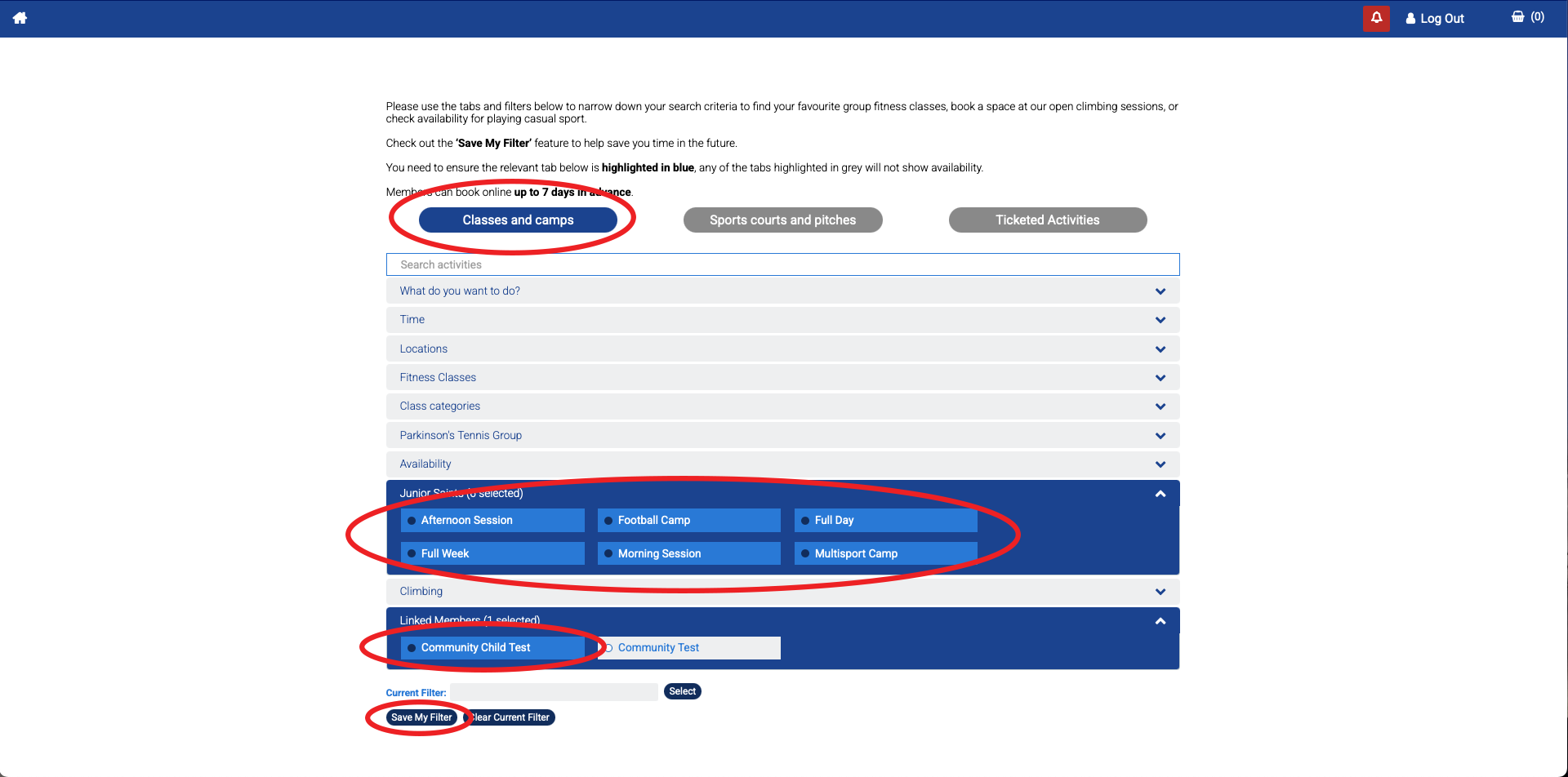
- Scroll down to see the available camp sessions
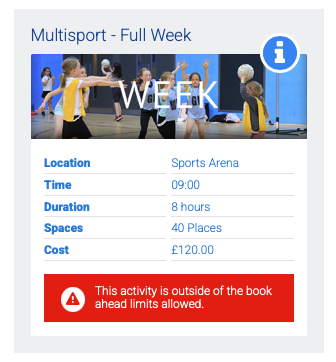
- Click on ‘i‘ for more information
- ‘Spaces‘ refers to the remaining number of places available
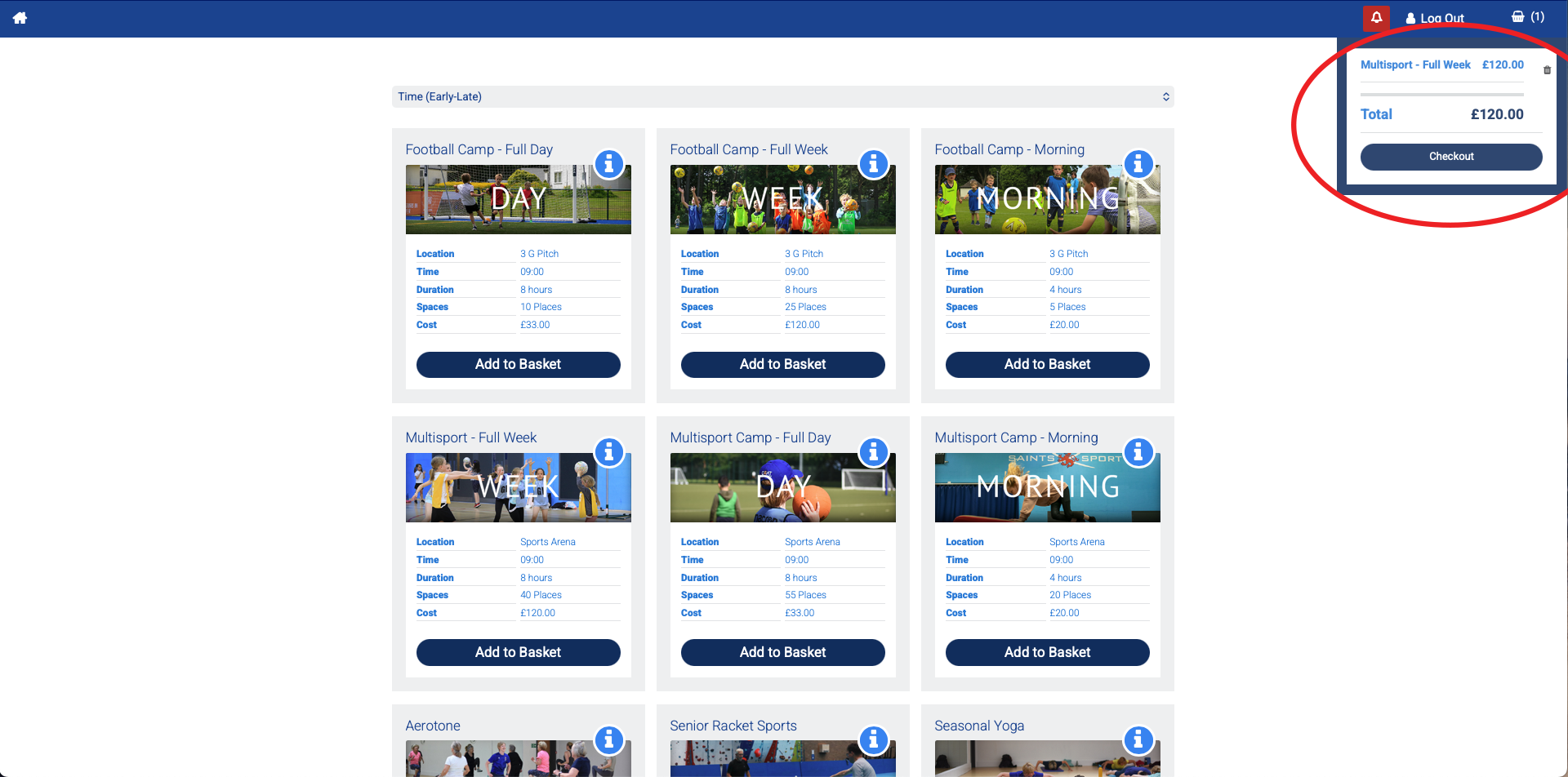
- Select ‘Add to Basket‘
- If you are booking multiple children, scroll back up and select the new child from the ‘Linked Members‘ filter

- If you try to book on using your parent profile you will get an error when clicking on ‘Add to Basket‘
- Once you have added all your bookings, click on the basket icon and then ‘Checkout‘
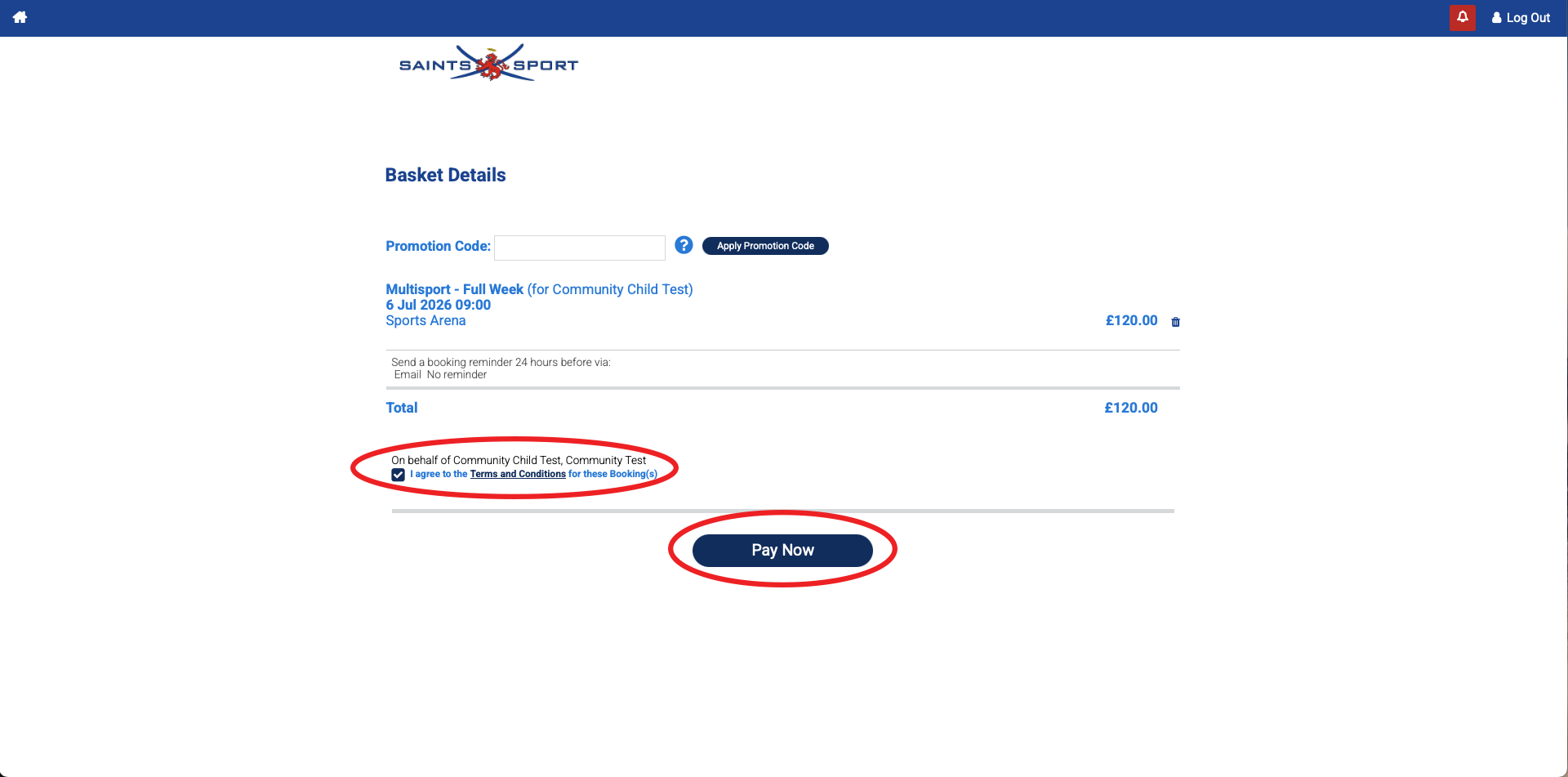
- Agree to the terms and conditions and then proceed to make payment
Email confirmation
- After completing your booking and making payment, you will receive an automated email with your payment confirmation